SpriteViewer
A downloadable tool
Written by Gal Shemesh | itch: https://galshemesh.itch.io | GitHub: https://github.com/PacketLauncher
I've made this program for the benefit of the gaming devs community, and it's completely free for both private and commercial use.
Donation to the project is appreciated if you find this tool useful for your daily routine, but not a must. :)
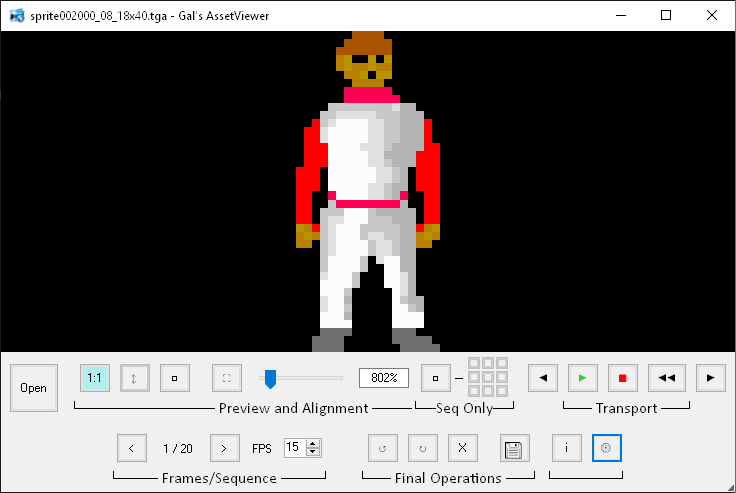
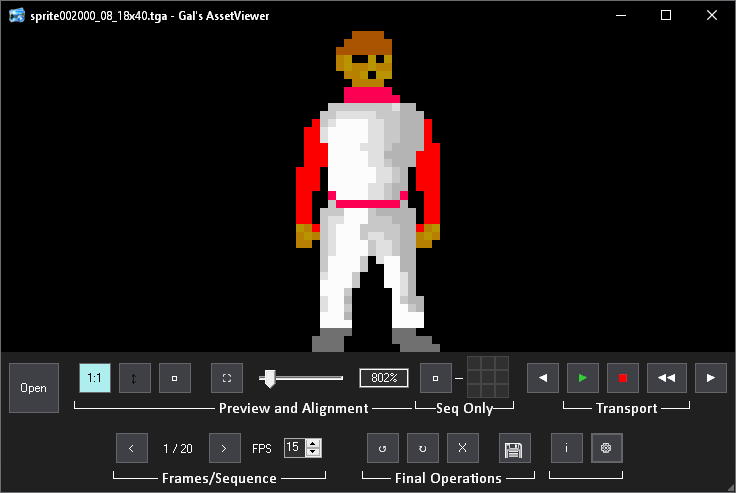
SpriteViewer is aimed for viewing your 2D game development assets in one centralized place, and provide you with great tools to make a superb user experience, such as setting the viewer to show files in their 1:1 size, fit-to-height (black bars on the sides) and fit-to-window (black bars from the top and bottom), where navigating through files or even restarting the program preserves these settings. Using the zoom slider untoggles any of these settings and the next file will be loaded in its initial 1:1 size, apart from files of the currently shown sequence.
Supporting file formats are PNG, TGA and GIF.
Unlike traditional photo viewers, this one allows to view not only static images, but also sequential ones as playing animation if they share a common name syntax, such as Ego_Walk_Left1.png, Ego_Walk_Left2.png, Ego_Walk_Left3.png, etc. (you can also set additional syntaxes in the Settings menu). In addition, it supports GIF files as well. Once load, you can use the convenient transport control to navigate between files and frames, where the frame navigation buttons wrap to the beginning/end of sequences and GIFs.
The program was designed in a way of listener logic that monitors ANY change in the working folder, so you could edit the same asset/sequence you're currently viewing in it in an external image editing program on-the-fly, and any saved changes will be immediately shown in it. For example, you could have a 4-frame walking cycle playing aside, and at the same time edit, delete, or even add more frame files to it in the working folder and they'll immediately update in the preview as part of the sequence.
If you happen to have sequential images where each has its own width and height, you'd appreciate the Common-Canvas button that work together with the 9-alignment buttons; these settings get enabled on load of sequential images only, and it allows to place the sprites on a common-canvas size, based on the entire sequence, allowing you to align the sprites to each of the 8-corners, as well as to the center. The Export button takes the common canvas into account when exporting, and you could use it to export either a static image, sequential images such as PNG and TGA, or animated GIF. For sequential exports, the selected FPS will be used for all frames. And if you happen to change the alpha checkerboard to a solid color in settings, that color will be backed-in with your export instead of transparency.
The settings menu has a few options for you to customize:
- Toggle the frame counter between 0-based and 1-based appearance
- Auto-play image sequences upon load
- Auto-play GIFs upon load
- Default sequences FPS (disabled for GIFs since they have their own frame delays)
- Transparency background between checkerboard and custom solid color of your choice
- Sequence Patterns hot-key (this will open the customized sequence filename patterns TXT file, where you could set your own sequence patterns)
- Dark/light modes
In addition to the above, you can also drag toolbars from their labels amongst each other in order to organize them to your liking, where making the window smaller pushes the right-hand side toolbars to a second toolbar line. Quitting and re-launching the program will open it at the same size and position you left it.
App settings and customization are saved under %appdata%\roaming\SpriteViewer. Deleting this file/folder will restore the app to its initial state upon next launch.
If you have any suggestions to improve or found a bug, please let me know.
Download
Click download now to get access to the following files:
Leave a comment
Log in with itch.io to leave a comment.